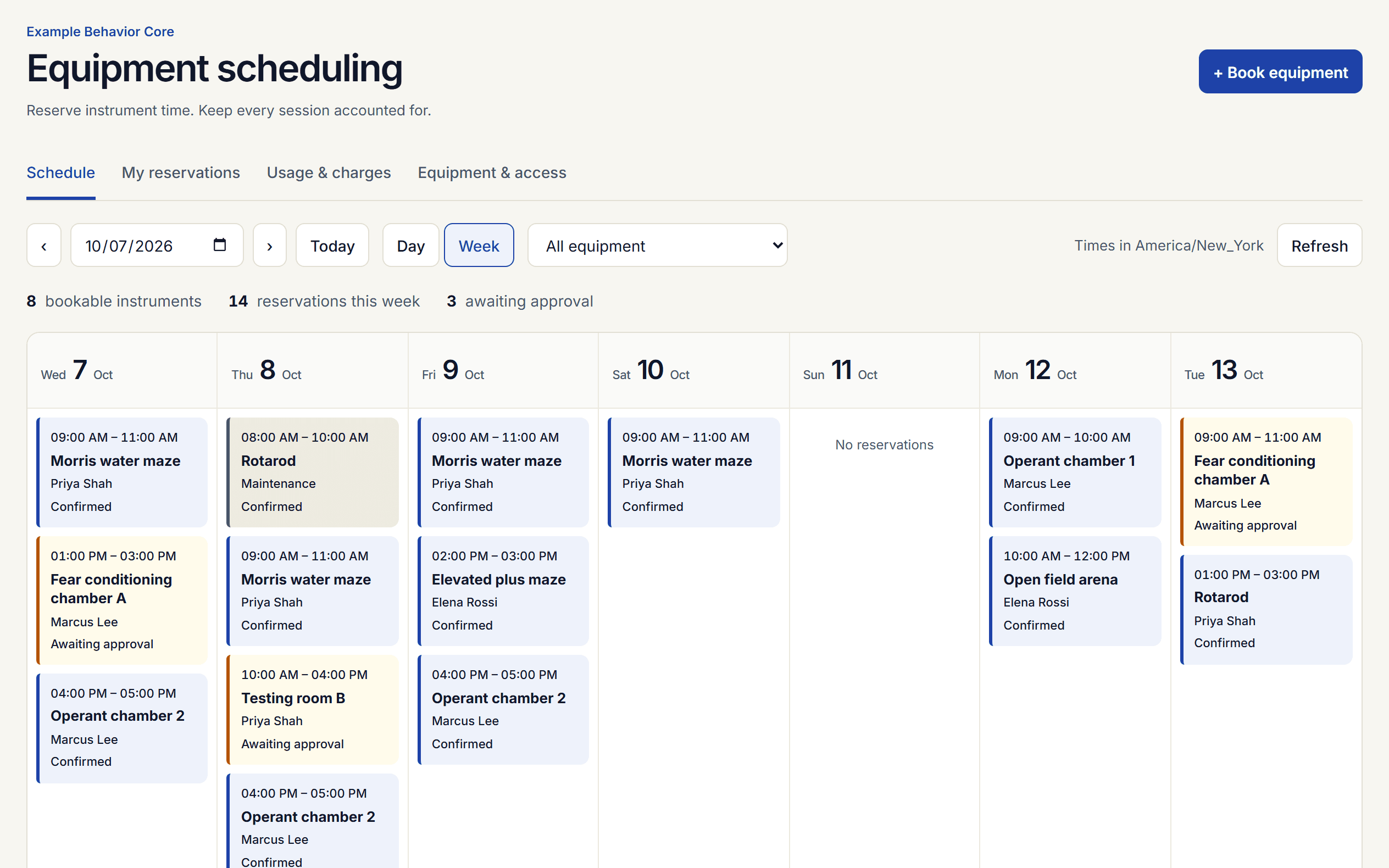
Day, week, and timeline views
Filter by instrument, open any booking for details, and switch to a readable agenda on phones. The timeline shows every instrument across one day; tap free time to book it.
Scheduling
Shared calendars for instruments and rooms, with training checks, approvals, check-in, and monthly charge exports in one workspace.
Booking
Researchers book open time, see what needs approval, and check in at the instrument.
Filter by instrument, open any booking for details, and switch to a readable agenda on phones. The timeline shows every instrument across one day; tap free time to book it.
Book every day, every weekday, or every week for up to 60 sessions. If one date is taken, nothing is booked and you see which date to change.
Set the shortest and longest session, the minimum notice, and how many days ahead people can book, for each instrument.
Cap hours a week or month, prime-time hours, and upcoming reservations per person on each instrument. Managers can still book past a limit.
Optionally keep each person to one reservation at a time across all instruments, such as one testing room per study.
Researchers check in and out from any device, so nobody keeps a paper log. Reserved and actual times are both kept.
Subscribe to your reservations, one instrument, or the whole core in Google Calendar, Outlook, or Apple Calendar. Researchers also get an email reminder a day before each session.
Require a protocol number, such as an IACUC number, on bookings for chosen instruments.
Access
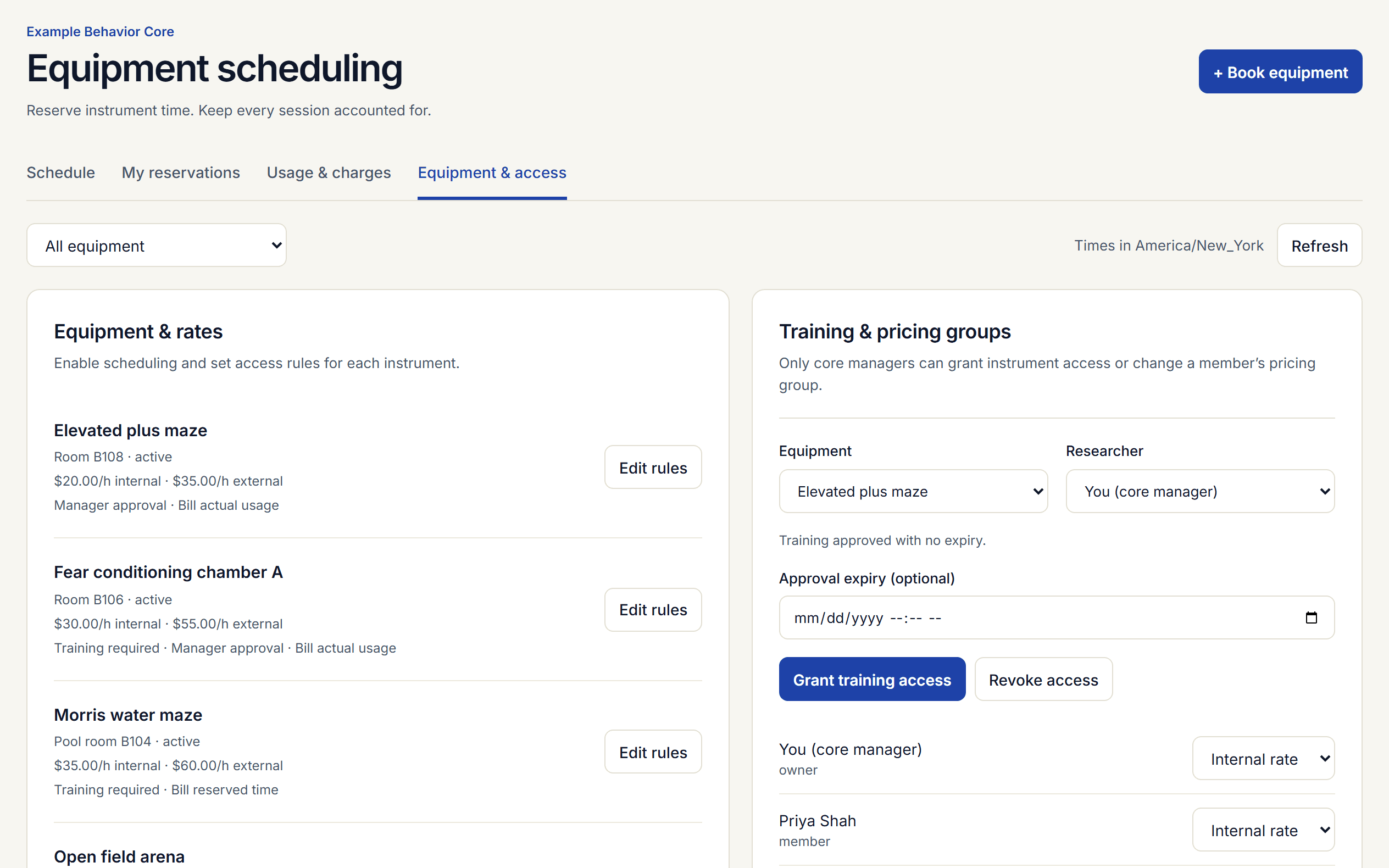
Grant access per instrument with an optional expiry date. A booking must fall inside the access period, and people are reminded two weeks before it expires.
Require approval per instrument. Requests hold the time, and managers approve or decline from the booking.
Schedule a training session with seats. People sign up, and when you record who came, each of them is trained on the instrument for the period you set.
Name an approver, such as the PI, on a project. Bookings charged to it wait for their approval before any core approval.
Core
Managers set rules, rates, and access. Researchers book for themselves. Viewers can see the schedule but not change it.
Invite researchers by email, or share one join link and approve each access request.
Paste your instrument list from Excel or Google Sheets, or upload the file. More than 100 common instruments get their usual booking rules, and a people list can carry each person’s training.
A new core sees its next steps: add instruments, invite people, make the first booking, and set rates.
Release a reservation nobody checked in to, so others can use the time, and close sessions left open after the reserved end.
Anyone can report a problem from the instrument page or a booking. Track repairs with parts and labor, and see the typical time to fix.
Take an instrument down and the bookings in that time are cancelled and the people told; its parts go down with it. Preventive maintenance comes with reminders.
Put a tablet in the core. People tap their reservation and enter their PIN, or scan their badge, to check in and out.
Core
Connect a door lock or power relay to an instrument so it opens only for someone with a reservation and training. Every attempt is logged.
Core
Publish your instruments, services, prices, and logo on a public page listed in the core directory. Visitors ask for access there, and you approve each request.
Each person chooses their language for the menu, booking, check-in, and training. The tablet kiosk has its own language buttons.
Pin instruments on a plan of your core. Each pin shows whether the instrument is free, reserved, in use, or down right now, and people book from the map.
Set your accent color, rename menu items to the words your core uses, such as Grants for Projects, and turn off what you do not use.
Keep the papers and datasets that used the core. A DOI fills in the details. Link each to instruments, projects, and people, and download the list for reports.
Usage and charges
Charge features are part of the Core plan. Every new workspace includes Core for 30 days.
Internal, external, and your own groups such as industry. Price self-service, assisted, or staff-run work per hour, session, day, or sample.
Core
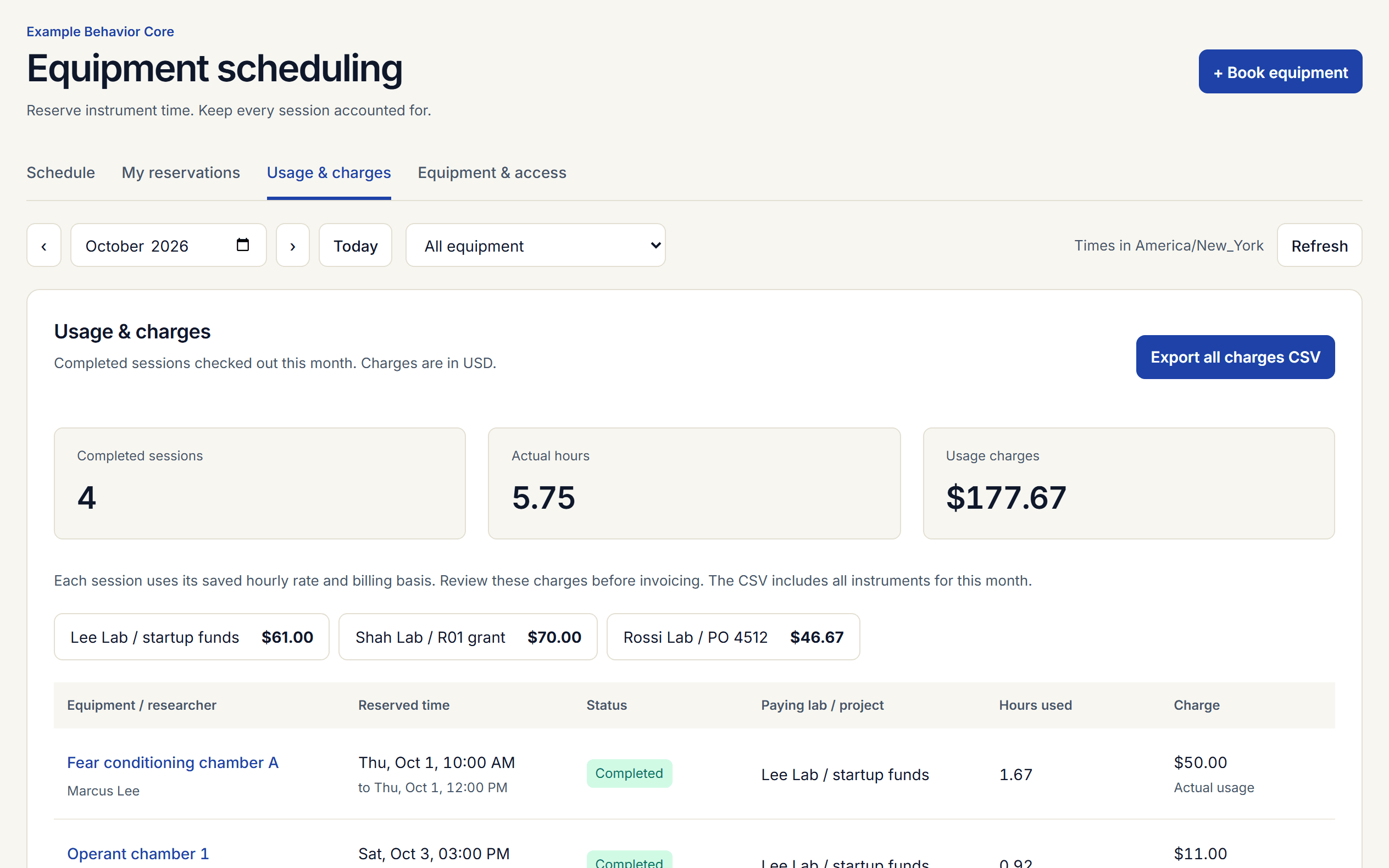
Bill check-in to check-out, or the reserved time, per instrument. Each booking keeps the rate it was made with.
Core
A CSV of completed sessions with the paying account (lab, grant, chartstring, or PO), times, rate, and charge, ready for your business office.
Core
Use, charges by month, project, and person, the busiest hours of the week, requests, problems, and downtime. Build your own grouped report and download it as CSV.
Core
Connect your billing system, a dashboard, or a door system: a REST API with scoped keys, and signed webhooks for reservations, requests, and problem reports.
Core
Record usage for a missed check-out, or discount or waive a session, each with a required reason kept on record.
Core
Charge each booking to a grant, account, or purchase order, and require a project on every booking if your business office needs one.
Core
Email the PI and billing contact at 80% and 100% of a budget, and choose whether over-budget bookings go through, wait for approval, or stop.
Core
One draft per project or account from the month’s completed sessions. Add fees or credits, finalize with a number, email it, and record payment.
Core
A CSV of every invoiced line, charged to the payer’s account and credited to your revenue account, for the business office to post.
Core
List your services with prices, take requests with the questions and sample lists you need, send quotes, and bill completed work on the monthly invoices.
Core
Charge supplies and kits to the project as they are used in a session, for a request, or by scanning a label. Get an email when stock runs low. Lend equipment with due dates, condition notes, and a daily charge.
Core
Round time up to 15 or 30 minutes, set a minimum charge, and charge extra for time past the reserved end.
Core
Lower rates outside prime time, a most-per-day cap, and fees for late cancellations and no-shows.
Core
Behavior cores
Testing rooms, mazes, and chambers, with multi-day protocols and protocol numbers.
Start with a 30-day Core trial. Booking stays free after the trial.